The migration process is designed to support controlled, repeatable, and scalable transformation of Notes environments into Box.
Typical migration activities include:
- Analysis and assessment of existing Notes applications.
- Identification of legacy, inactive, or redundant systems.
- Selection of applications for migration or archival.
- Grouping of applications into reusable migration profiles.
- Execution of phased migration and validation cycles.
This structured approach ensures predictable outcomes across complex enterprise environments.
Successful migration to Box begins with structured planning. Key activities include:
- Environment assessment. Identify all Notes applications, including distributed databases and locally stored archives.
- Migration prioritisation. Determine which applications should be migrated, archived, or decommissioned.
- Application grouping. Organise similar applications (e.g. teamrooms, discussion databases, document libraries) into logical migration sets for consistent processing.
- Pilot migration strategy. Begin with low-risk or legacy applications to validate migration rules, performance, and output quality.
The platform supports structured migration into Box environments, including:
- Metadata generation from Notes fields and formulas.
- Box Collaborators (Viewer, Editor, Owner) at the File or Folder level.
- Root Box Folders.
- Folder hierarchy creation based on Notes data structures.
- Structured navigation based on Notes views.
This ensures that migrated content is not only transferred, but meaningfully integrated into the Box information architecture.
The Pipeliner preserves the integrity and structure of Notes application data during migration, including:
- Views and navigation structures.
- Rich text content and formatting.
- Attachments and embedded objects.
- Document hierarchies and relationships.
- Response structures and linked documents.
- Metadata derived from Notes fields and @Formulas.
This enables organisations to maintain business continuity while modernising their collaboration platform.
The Pipeliner supports delta-based migration, enabling organisations to:
- Perform initial bulk migration of historical data.
- Synchronise only changed or new content prior to cutover.
- Reduce downtime during final transition.
- Re-run migrations safely as configurations evolve.
This ensures a controlled and low-risk migration process for large-scale environments.
The migration platform is designed for enterprise-scale workloads and supports:
- Parallel processing of multiple applications.
- High-volume data migration capabilities.
- Automated batching and execution.
- Centralised configuration management.
- Reusable migration profiles across application types.
- Comprehensive logging and auditability.
Ensuring consistent performance across large and complex environments.
- Migration of Lotus Notes applications to Box.
- Support for Teamrooms, Discussion Databases, and Custom Applications.
- Preservation of View and Form layouts.
- Metadata generation from Notes fields and formulas.
- Structured folder and navigation creation in Box.
- Apply Box Collaborators at the File or Folder level.
- Delta migration for staged deployment.
- Support for attachments, rich text, and embedded objects.
- Scalable enterprise processing capabilities.
- Centralised administration and configuration control.
- Retire Lotus Notes/Domino infrastructure.
- Improve accessibility through Box capabilites, search and metadata.
- Reduce operational and infrastructure costs.
- Enable phased, low-risk migration strategies.
- Maintain continuity of business-critical information.
- Support compliance and data retention requirements.
The solution is well suited for organisations that need to:
- Migrate Lotus Notes applications to Box.
- Consolidate legacy collaboration systems.
- Transition to cloud-first environments.
- Improve document management and governance.
- Preserve historical Notes applications in a modern platform.
- Support enterprise digital transformation initiatives.
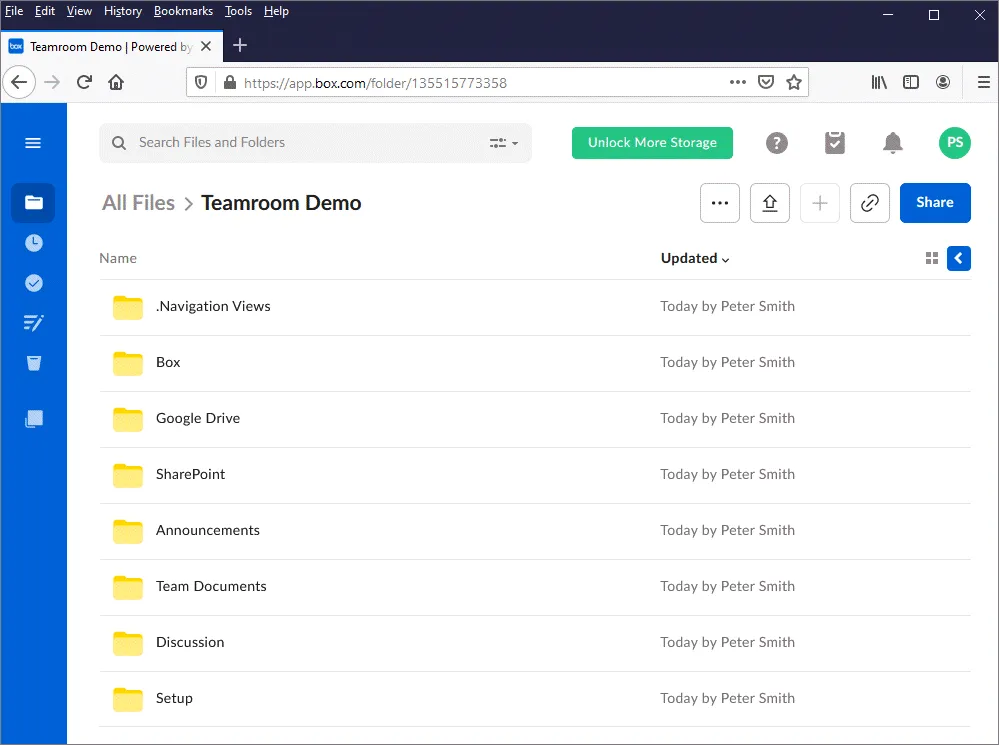
Folder Hierarchy.Your preferred folder hierarchy is presented in Box, along with optional Navigation. Shown in this example is a migrated Notes Teamroom;
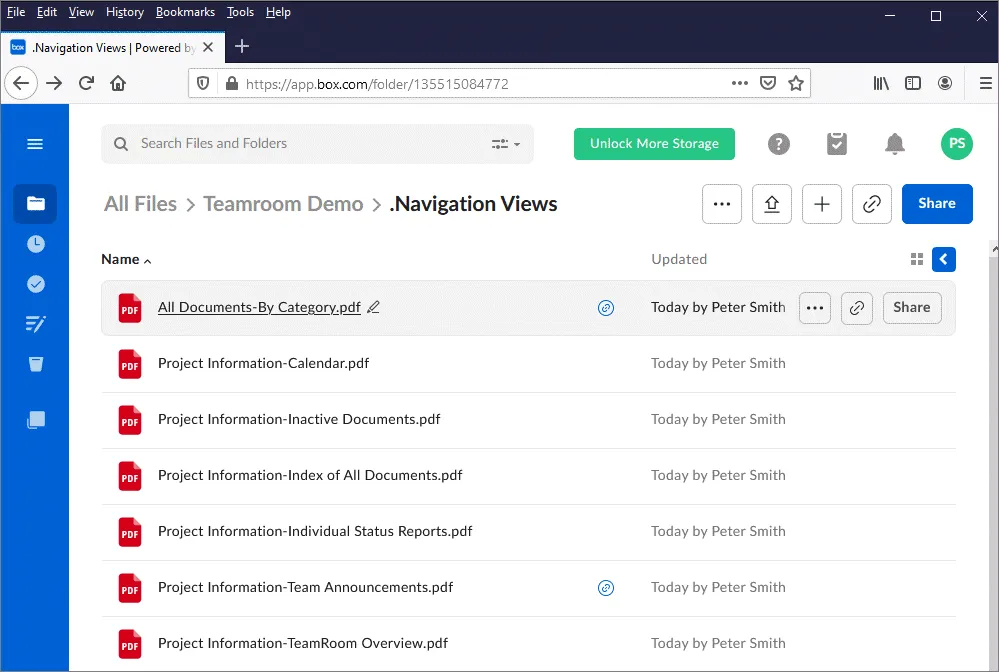
 Navigation.
The Navigation Views are displayed as PDFs to provide familiar end-user navigation;
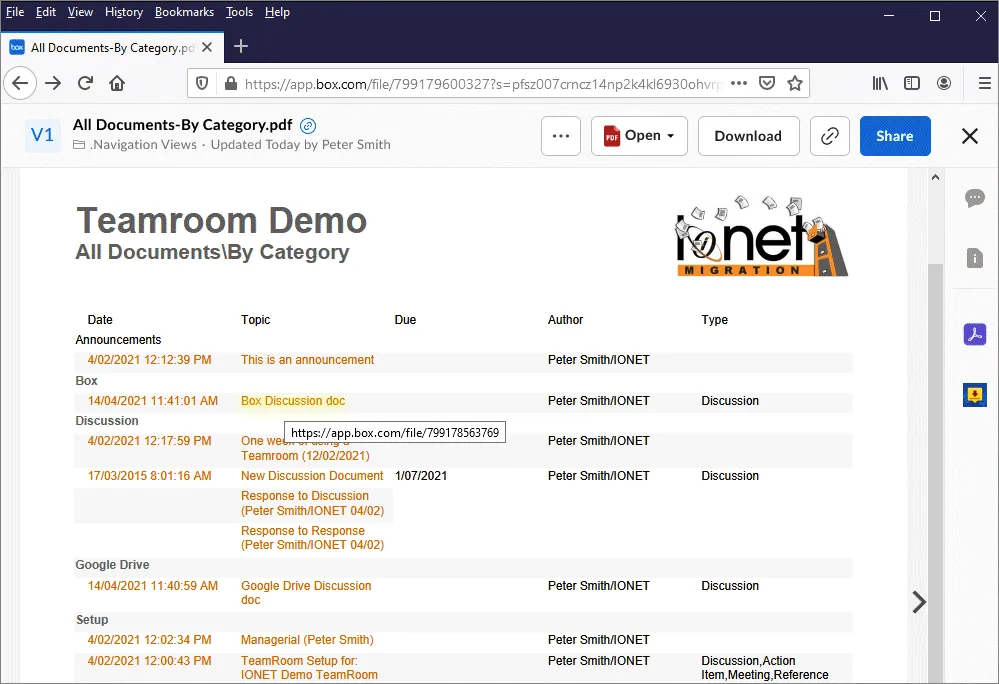
 Notes Views.
In these Views, Notes documents - also exported as PDFs - are represented as links;
 Folders.
You can also use the standard Box Folder navigations;
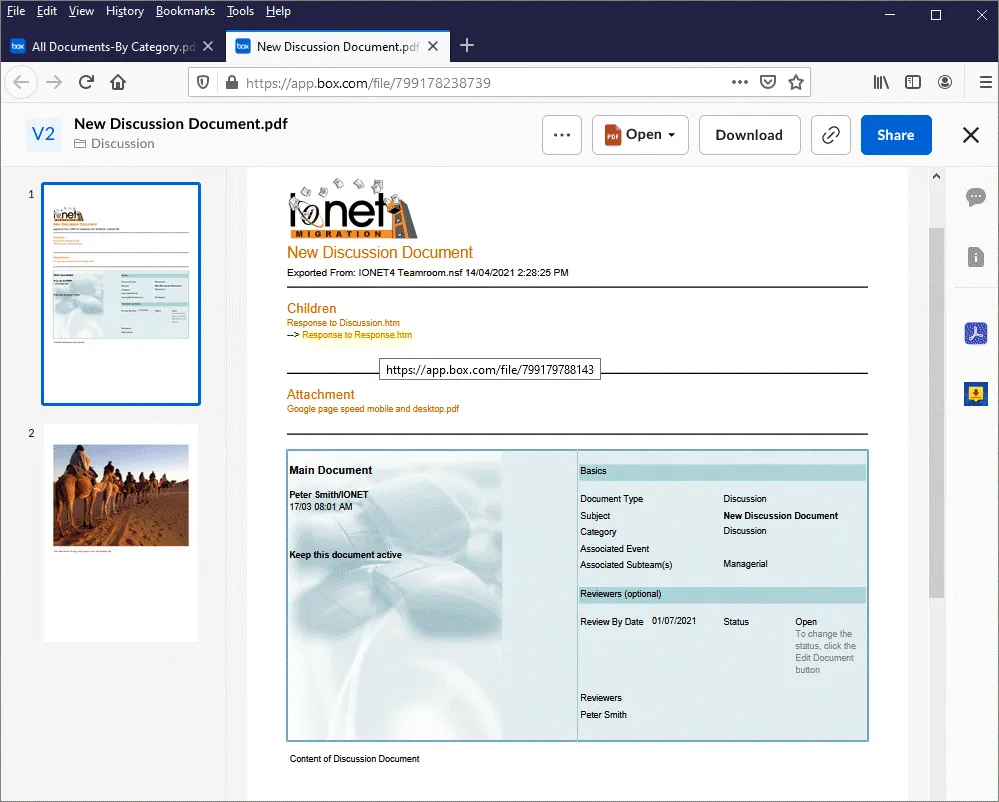
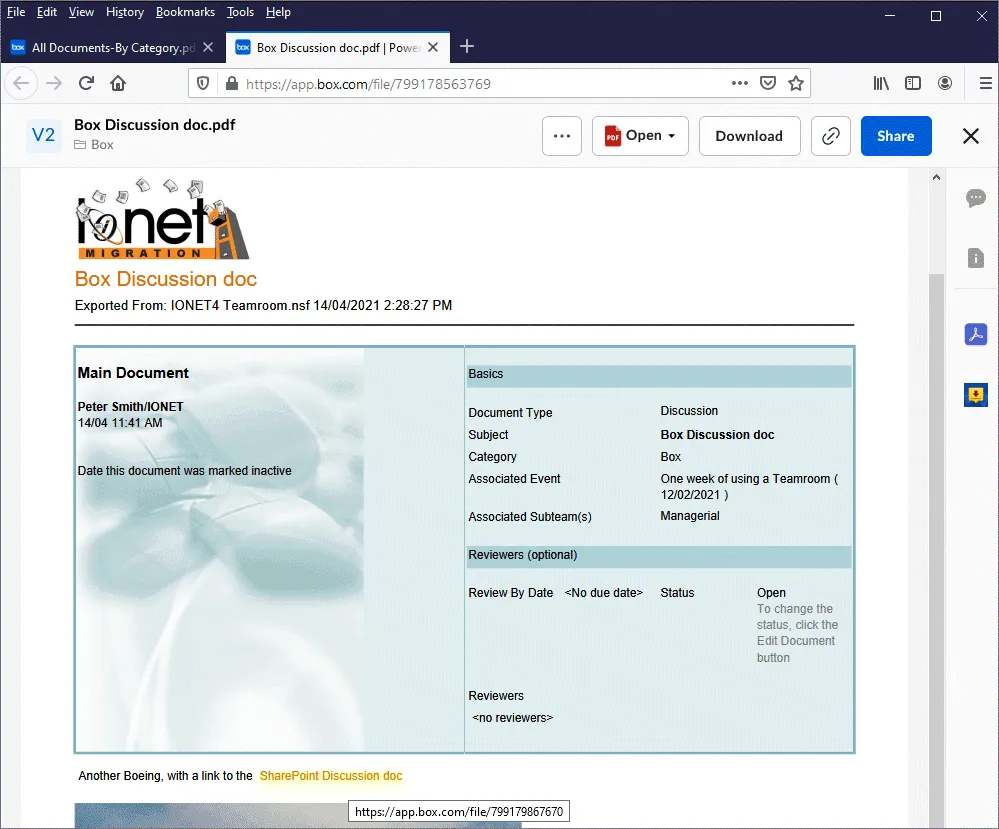
Document Rendering.Documents are rendered using the original Notes Forms, keeping the output format as close as possible to the original;
 Responses and Attachments.
Response Hierarchy, Attachments and Embedded Objects are also supported;