 Overview
The Workflow Manager is a powerful, easy-to-use document-based workflow engine that works with any version of IBM Lotus Notes/Domino from 7 upwards, including XPages.
It supports any workflow, including
Serial,
Multiple Approver (i.e. multiple users allocated a document at the same time) and
Parallel workflows, with working examples provided.
Watch the Workflow Manager being installed, configured and executed in less than
5 minutes in this
YouTube Demo, or follow the Step-by-Step guides included in the
demonstration version.
Save time and effort for your users and developers by using a consistent, professional and stable workflow design across your applications.

Web and Notes enabled, i.e. both clients can use the same workflow at the same time.
Supports XPages, with working examples provided.
All workflow is based on documents that you can easily create & maintain - you don't need to create workflow in ANY design elements.
The Workflow Manager supports mobile devices taking part in the workflow, and is completely customisable by any developer, as you also get the source code.
You can allow users to circumvent standard workflow. For example to send documents back or forward out of the standard workflow.
At every stage of the workflow Application Managers (or Developers) can easily;
Create user buttons (Approve, Decline, Return For More Info etc).
Create customised emails to groups, users and/or field values. For each email you can specify where to create it, save it, if the user can edit it, or who doesn't want to get email. You can include field values and database or document links & urls, as well as send separate courtesy emails.
Escalate documents by sending reminders, running agents, invoking new workflow and taking into account Weekends, Holidays and Business Hours.
Delegate access dynamically or automatically. For example if a document approver is on holiday or calls in sick. Delegation and approvers can be centrally controlled across multiple workflow-enabled databases.
Developers can easily;
Calculate workflow based on field values (=, !=, <, >, contains etc), or values looked up in other databases.
Start workflow on other documents (e.g. Parent documents).
Create and start workflow on new documents (e.g. Child documents).
Set fields & their values on the document, using @formula language if required.
Validate fields, use "hide whens" etc.
Multiple workflows can be defined and used per database. You plug the Workflow Manager into any application with just the click of a button, then just add two subforms to the forms/documents that you want to control with workflow. You then create your workflow using documents (again please see the
Demo) and that's it. The most difficult workflow applications become simple Notes applications - forms, fields and views as normal.
In addition, we give you as much assistance as you need for a successful implementation.
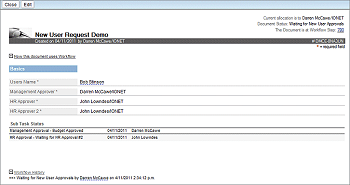
1. Notes Application Document
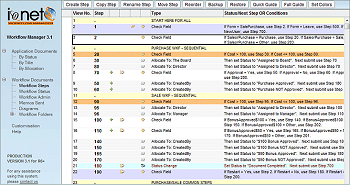
| 2. Notes Workflow Documents
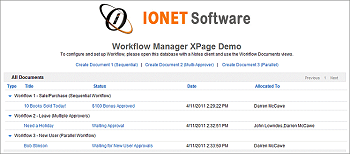
| 3. XPages Home
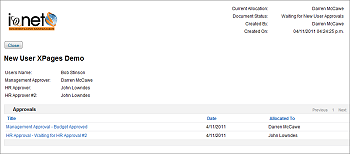
| 4. XPages Document
|
5. Client Workflow using the Workflow Manager
| |
|
Watch a Database being workflow-enabled for Notes and XPages in less than
5 minutes.